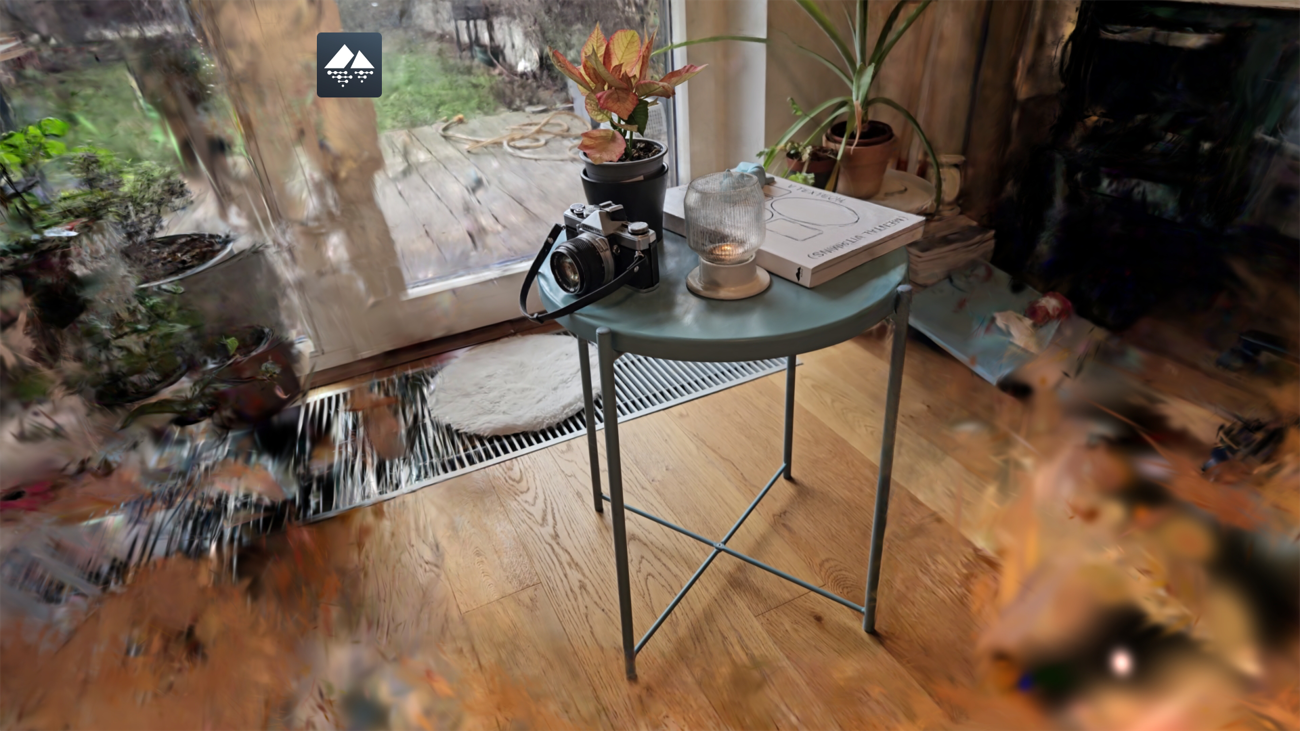
Point clouds are accurate but hard to use. Meshes are powerful but heavy.
This article compares point clouds, meshes, and Gaussian splats, and explains when splats enable faster, smoother, photoreal previews. Gaussian Splatting is quickly emerging as a practical breakthrough in real-time rendering of reality capture. At ioFM, we are actively evaluating how it can improve the way users explore and understand facilities — especially in the browser. A recurring challenge in facility management and digital twins is that many users want to navigate spaces as close to reality as possible, not through an abstract technical model. Traditional 3D pipelines, particularly those that convert laser scans into polygon meshes, can be computationally heavy, slow to process, and difficult to stream and preview smoothly on the web.
We are now seeing a shift from vertex- and face-based geometry (meshes) toward a different representation that prioritizes visual fidelity and performance. Instead of reconstructing exact surfaces, Gaussian Splatting focuses on reproducing how a scene looks from viewpoint to viewpoint — capturing appearance in a way that can render efficiently in real time. Since the rendered preview in ioFM is primarily used for visual exploration and orientation (rather than precise geometric measurement), adopting a representation optimized for perception and interactive speed can make a lot of sense. This article describes differences between various 3D rendering approaches - from point clouds as the raw capture of reality through meshes to Gaussian splats - to show which one delivers better results for interactive viewing.
Point Cloud — the raw capture of reality
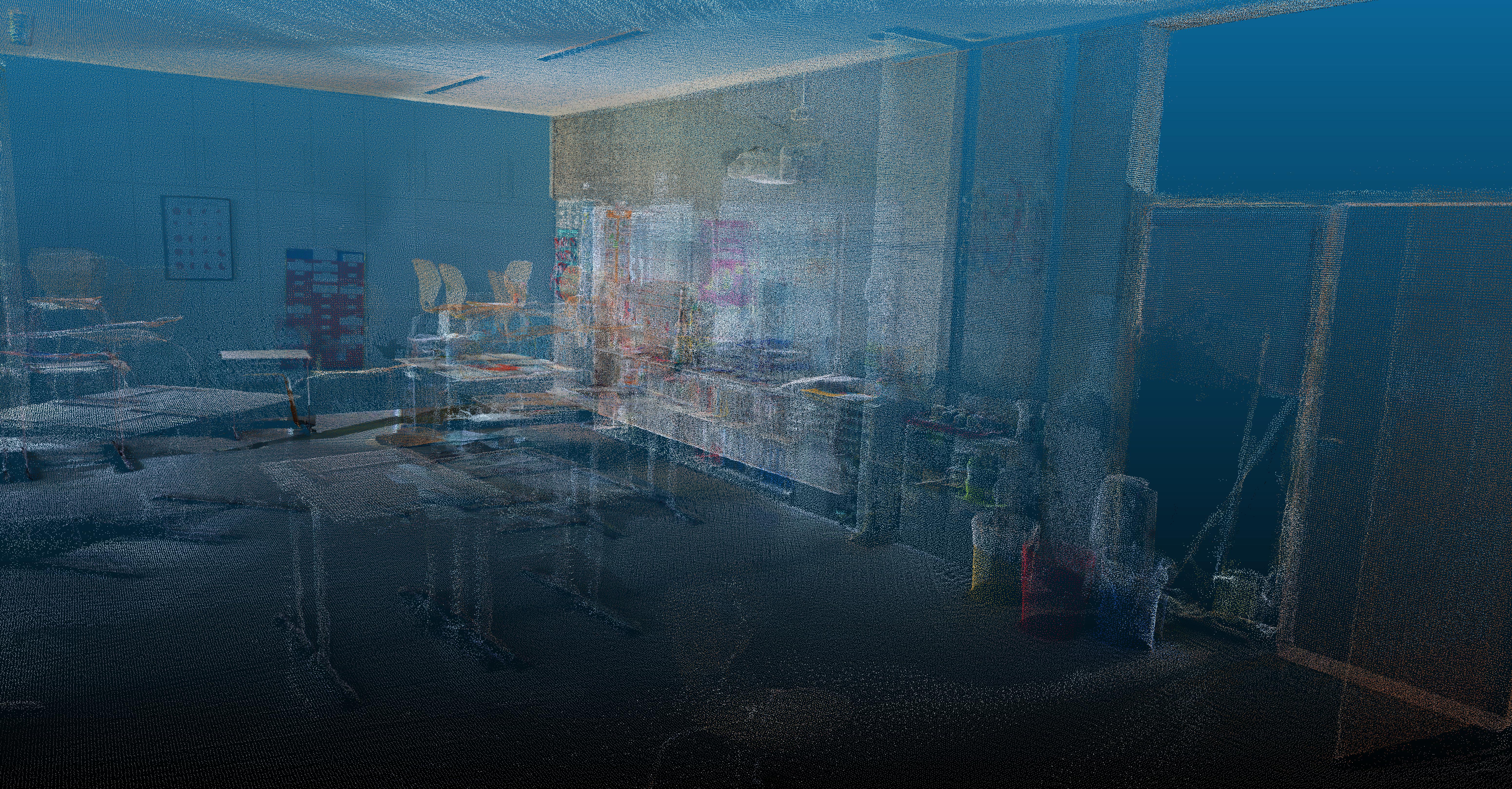
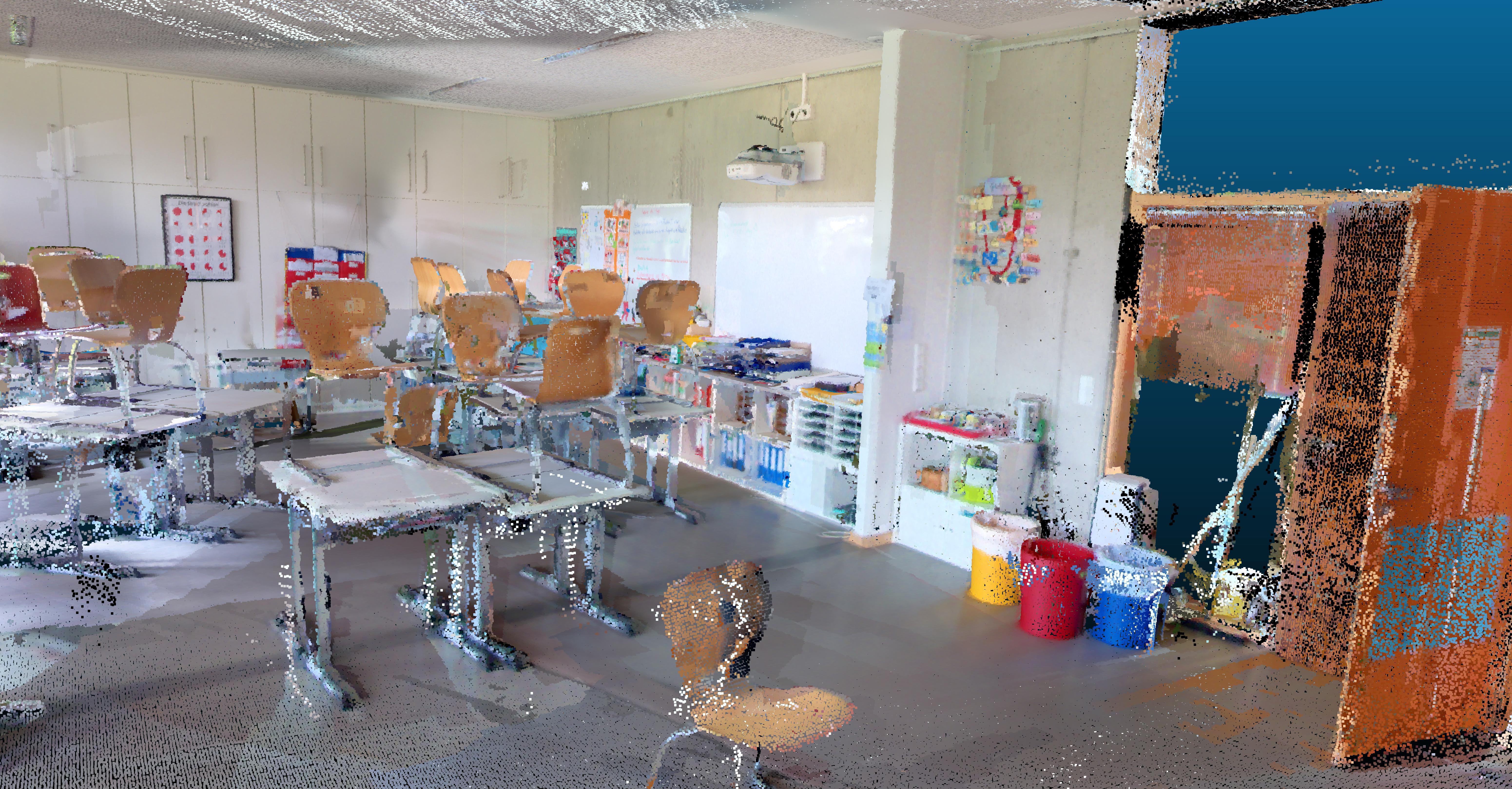
A point cloud is the most direct output of reality capture: a dense set of measured 3D points, often enriched with attributes such as color or intensity. Specialized tools can visualize point clouds, and they can be highly accurate, depending mostly on the scanning hardware and capture conditions. At the same time, point clouds are difficult to interpret visually. Since individual points have no “surface,” close-up views can feel sparse: as you zoom in, points appear smaller and the gaps between them become more visible. Different viewers address this with various rendering tricks, but the result is still less intuitive than a surface-based representation. Point clouds also tend to be large and are not ideal for smooth, web-based previews.
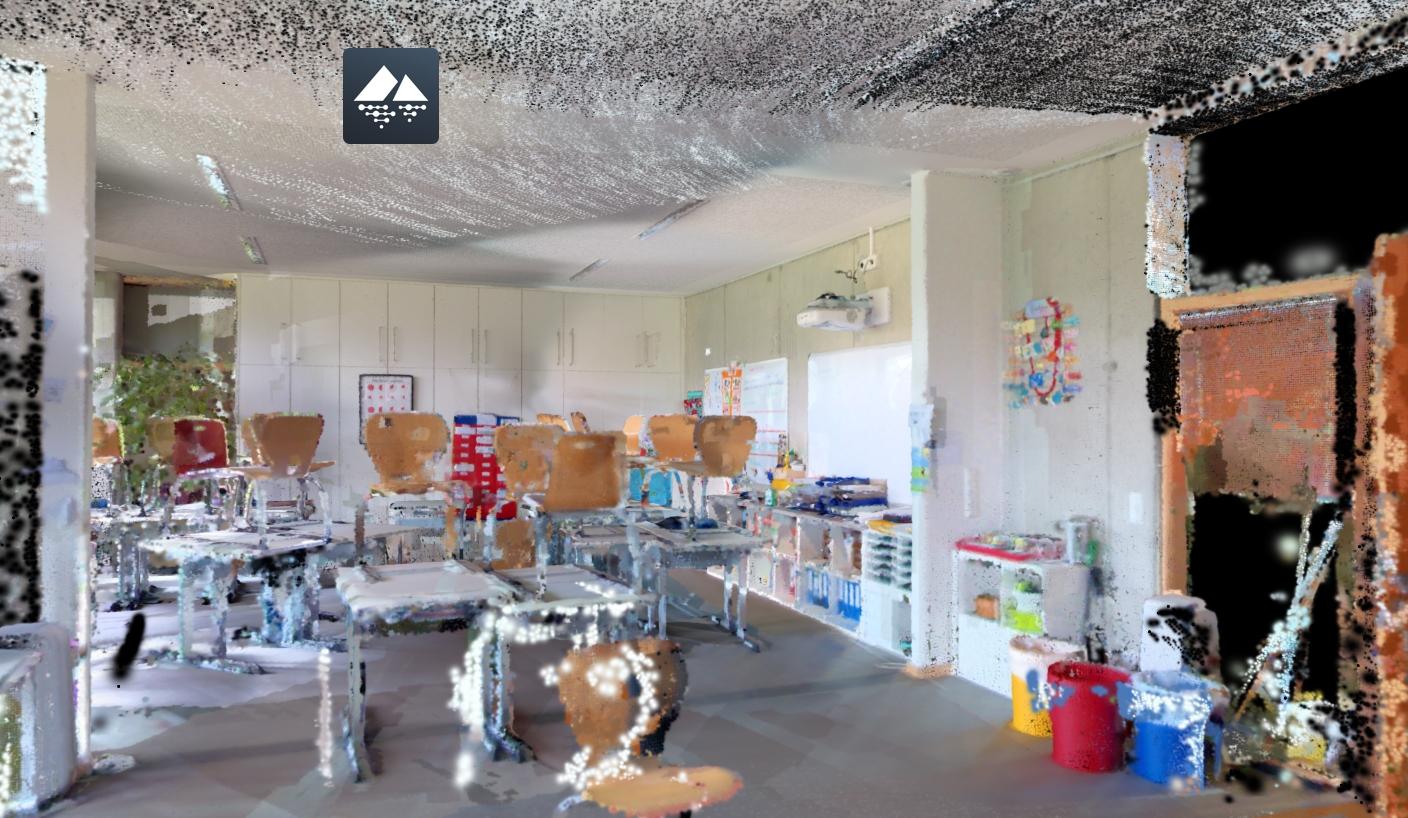
Figure 1: Point cloud with original point size, points create a “ghosted” environment without a clear sense of solid volume.
Figure 2: Point cloud with scaled-up points (3×), works better at a distance, but still appears visually empty near the camera.
From Point Cloud to a usable 3D View
Meshes can be created either as an interpretatio of a point cloud or from a photogrammetry. Both processes result as a solid that work for CAD/BIM, selection, measurements, and engineering use cases, but they can be slow to generate and oan more detailed they are the more heavy it is to stream in a browser. Gaussian splats take a photo sequence or simple video walk-through and produce a photorealistic, highly responsive 3D preview, ideal for navigation and visual context, but not intended for precise measurements or physics simulations.
What are 3D Meshes?
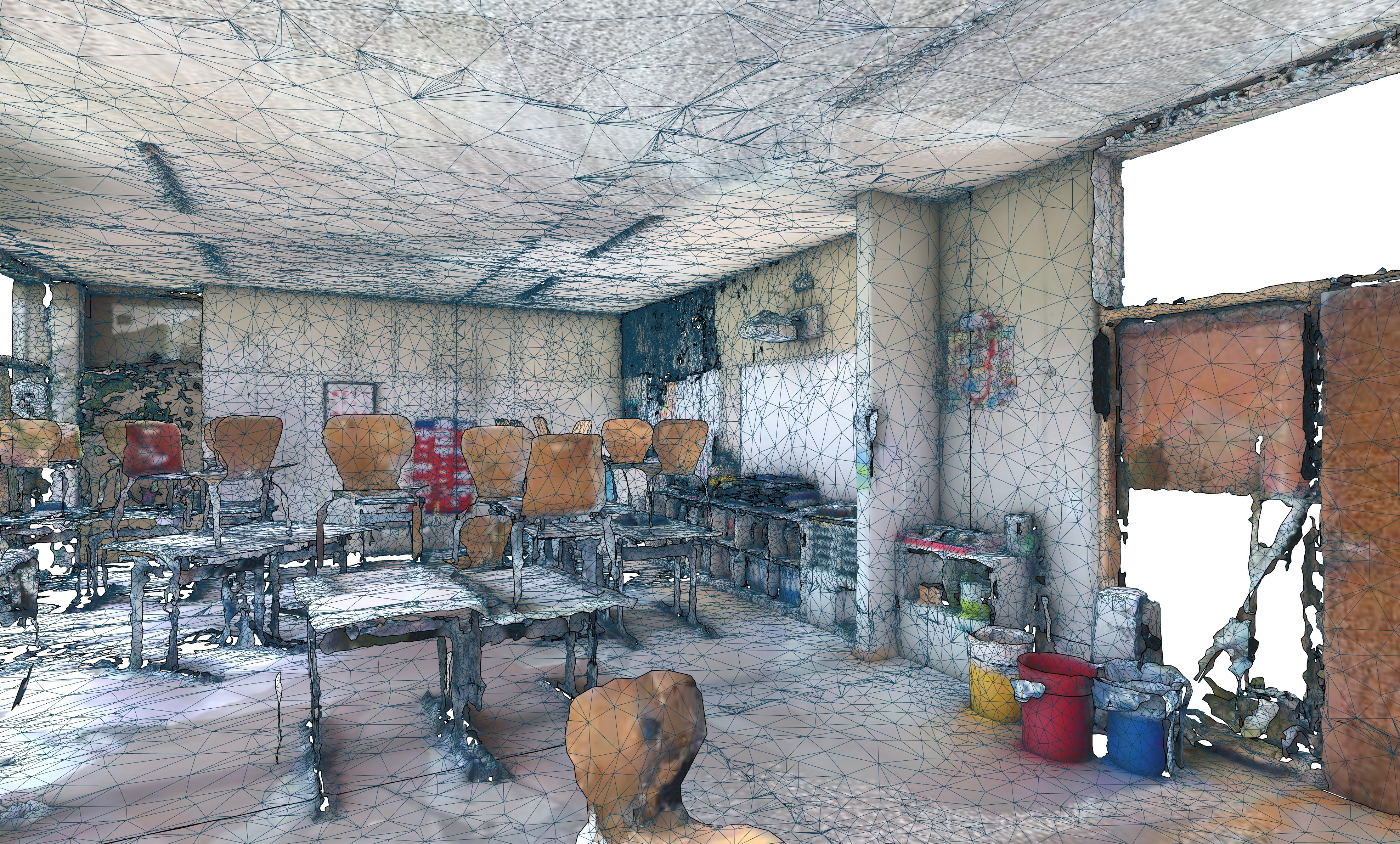
A 3D mesh is the standard representation used across CAD and BIM workflows. It consists of vertices (points) connected by edges to form faces, typically triangles, which together create a continuous surface (a geometric shell). To achieve a realistic look, textures can be mapped onto the surface. This representation is excellent for defining physical boundaries and supporting geometry-based tasks such as selection, measurements, and simulations.
A key property of meshes is resolution: higher resolution means smaller faces and therefore more geometric detail. However, generating a high-quality mesh from scan data (such as a point cloud) is computationally expensive. It usually involves surface reconstruction (“meshing” the space between points), cleanup/remeshing, and texture baking. In complex scenes, this process can still lose fine detail (thin pipes, wires, small elements) and requires careful balancing between geometric fidelity and feasible file sizes, especially if the result needs to be streamed and previewed in a browser.
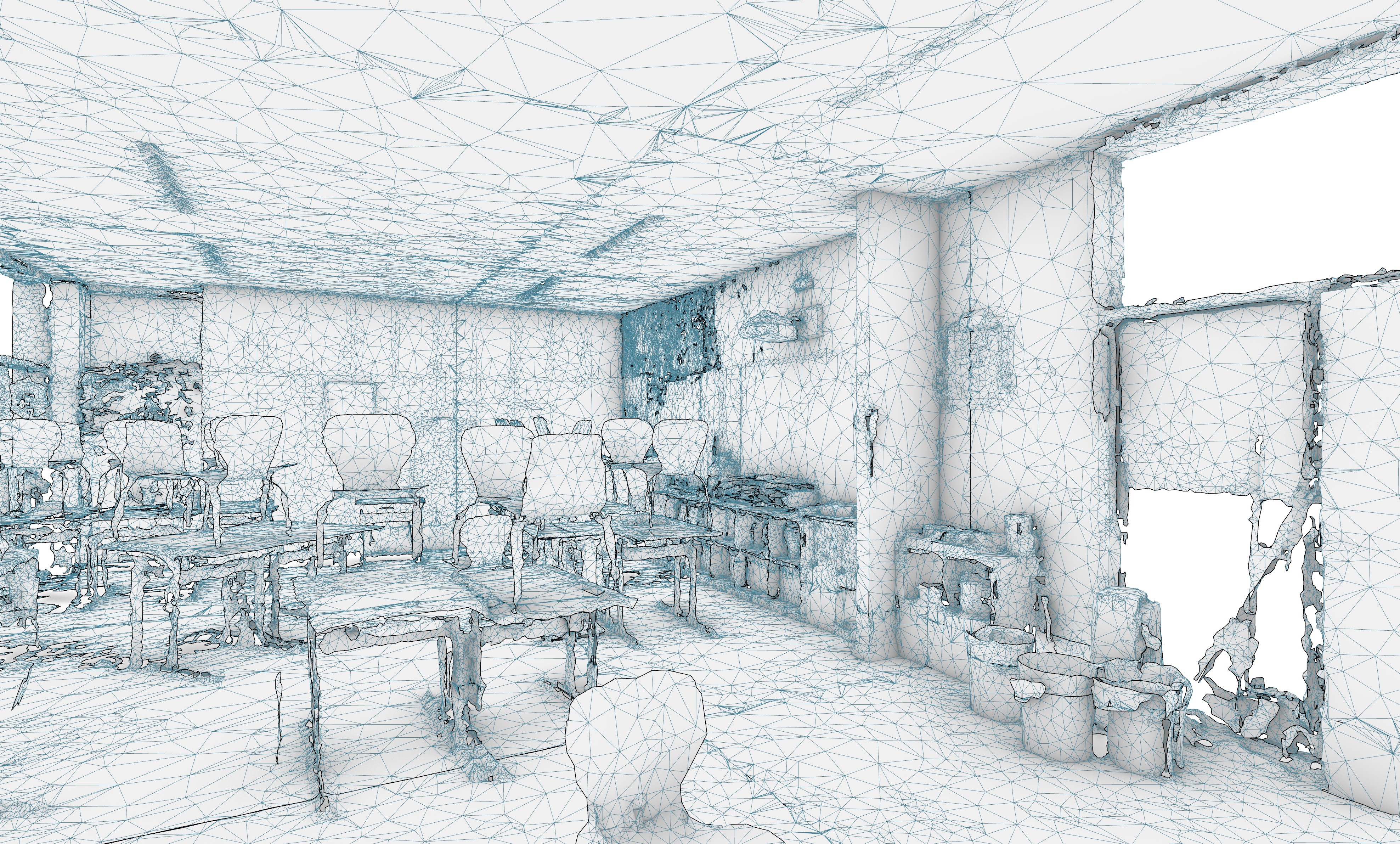
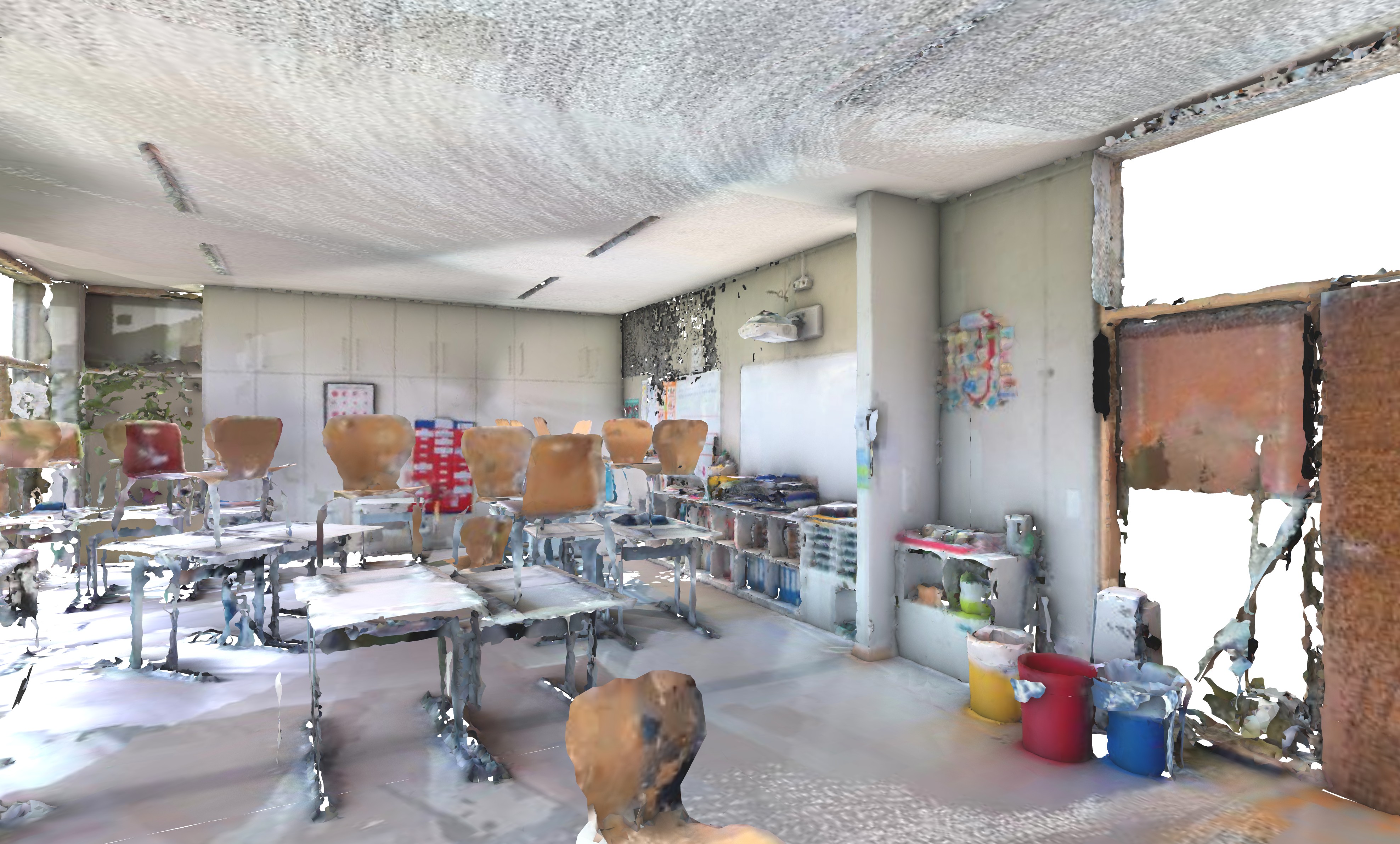
Figure 3: Mesh triangles visible in the renderer, low-quality geometry appears smoothed and can miss thin details; reflective and transparent objects remain challenging.
Figure 4: Triangulated mesh example.
What is Gaussian Splatting?
Gaussian Splatting is a modern approach to 3D visualization that prioritizes visual realism and interactive speed over explicit surface geometry.
Instead of reconstructing a “solid” geometric shell like a mesh, it represents a scene as millions of tiny, semi-transparent 3D ellipsoids (“splats”). Each splat stores appearance information such as color and opacity, and together they reproduce how the scene looks from different viewpoints. When rendered, splats blend into a photorealistic result that can feel almost like video, while still allowing free navigation in 3D. This makes Gaussian Splatting especially attractive for preview and visual inspection workflows, capturing details that are often difficult for meshes, such as thin structures (wires, railings), fine textures and complex visual effects.
High-quality splats are typically generated from a photo sequence or a simple video walk-through, because images contain the visual cues needed to reproduce reflections, transparency, and fine appearance. While scan data (e.g., a point cloud) can help with alignment and stability, using imagery is usually essential for achieving the best visual fidelity.
The idea ahead its time (a history of gaussian splatting)
The underlying idea of “splatting” goes back to 1990s graphics techniques that rendered scenes by projecting small 3D blobs onto the 2D screen, instead of drawing triangles. Over time (2000’s to 2020’s), reality capture workflows shifted toward photogrammetry and meshing, supported by consumer-friendly tools that made reconstruction from overlapping photos widely accessible.
More recently, Neural Radiance Fields (NeRFs) demonstrated impressive photorealism based on deep neural network systems, but their training and rendering costs limited practical real-time use. In August 2023, researchers introduced 3D Gaussian Splatting (3DGS) as a way to achieve NeRF-like visual quality with real-time performance. The key change was representing the scene explicitly as optimized Gaussian primitives (splats), enabling fast rendering on modern GPUs.
The technology behind the Splats
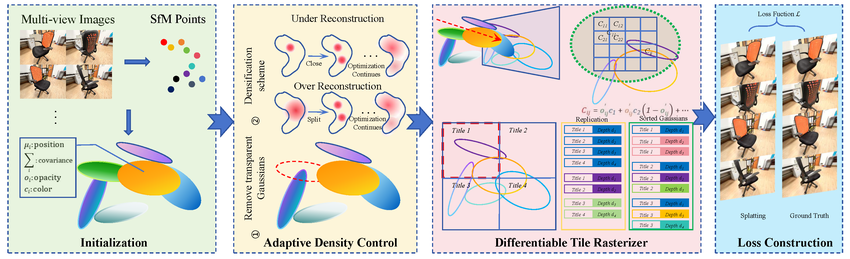
Technically, a Gaussian Splat is defined by a specific set of mathematical parameters: Position (XYZ), Covariance (which defines the rotation and scale to create a stretched 3D ellipsoid), Opacity (transparency), and Color. Crucially, the color is calculated using Spherical Harmonics, which allows the splat to change appearance based on the viewing angle—simulating real-world light reflections. Unlike meshes that rely on hard geometry, splats use a Gaussian distribution (a bell curve), meaning they are dense in the center and fade out softly at the edges. This softness allows millions of them to overlap and blend smoothly. The rendering engine uses a fast sorting algorithm (rasterization) to project these particles onto the screen from back to front, enabling photorealistic visuals at high frame rates (60+ FPS) without the heavy computational load of ray tracing.
Compared to heavier geometry pipelines, Gaussian splats are well suited for interactive viewing because they render efficiently on GPUs and can be streamed and displayed smoothly in modern browsers. Technically, splats remain an explicit list of primitives: position, scale, rotation, color and opacity, which aligns well with real-time rendering and compression techniques. In practice, this enables fast “capture-to-view” workflows (especially from photo or video inputs), delivers high visual fidelity at interactive frame rates even in web viewers, and scales well because the splat data can be optimized and compressed, provided sensible settings are used to keep file sizes manageable.
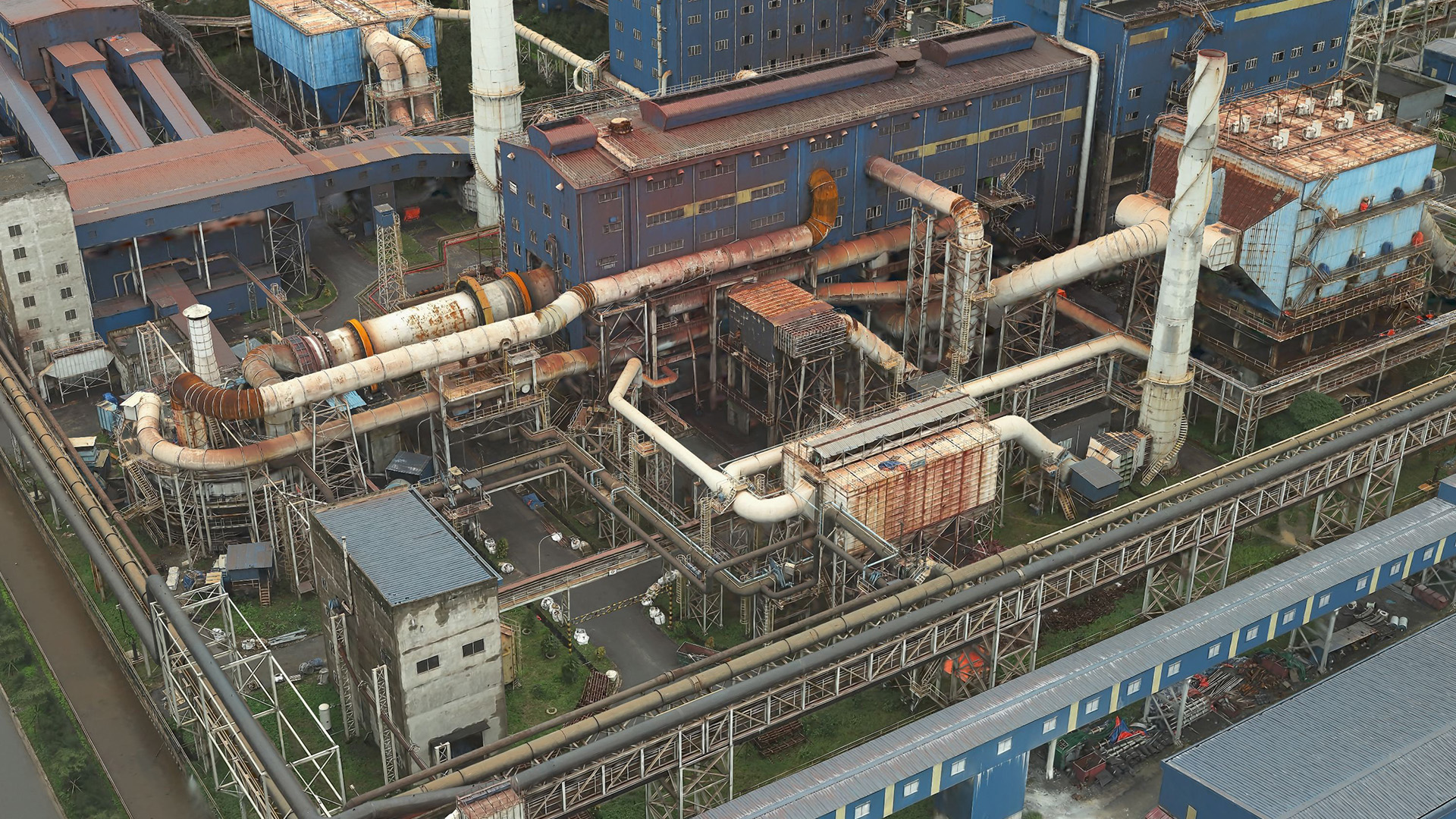
Figure 6: Photorealistic 3D representation of an insustrial site using Gaussian splatting, source: https://www.esri.com/arcgis-blog/products/arcgis-pro/3d-gis/how-to-create-the-best-gaussian-splats-in-arcgis-reality.
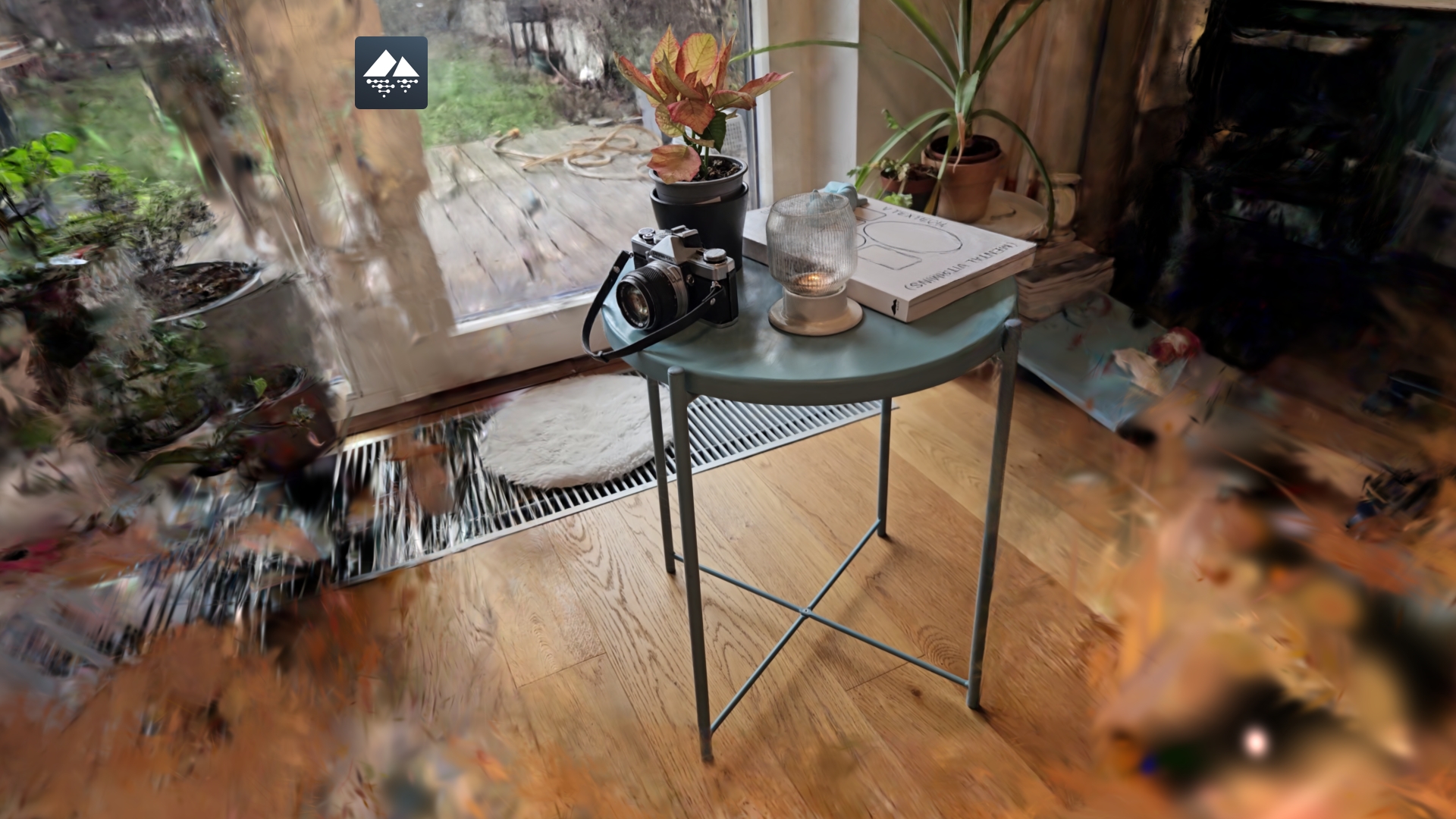
Figure 7: Example of a splat-style preview created from point cloud data. Because it is not trained from photos/video, reflections and transparency are not fully captured.
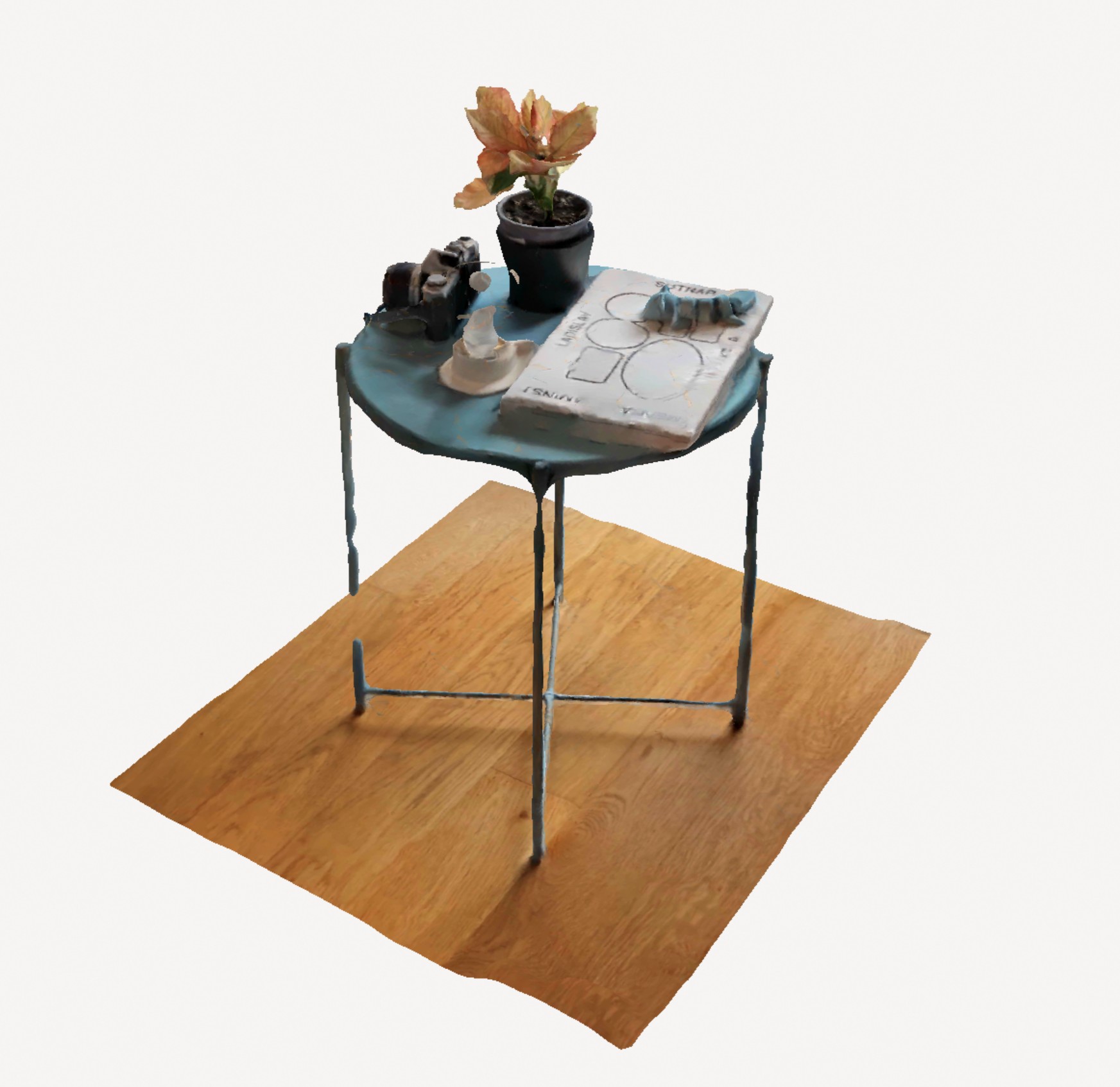
Figure 8: 3D mesh created using photogrammetry software.
Figure 9: Same scene as in Figure 6, rendered using Gaussian Splatting.
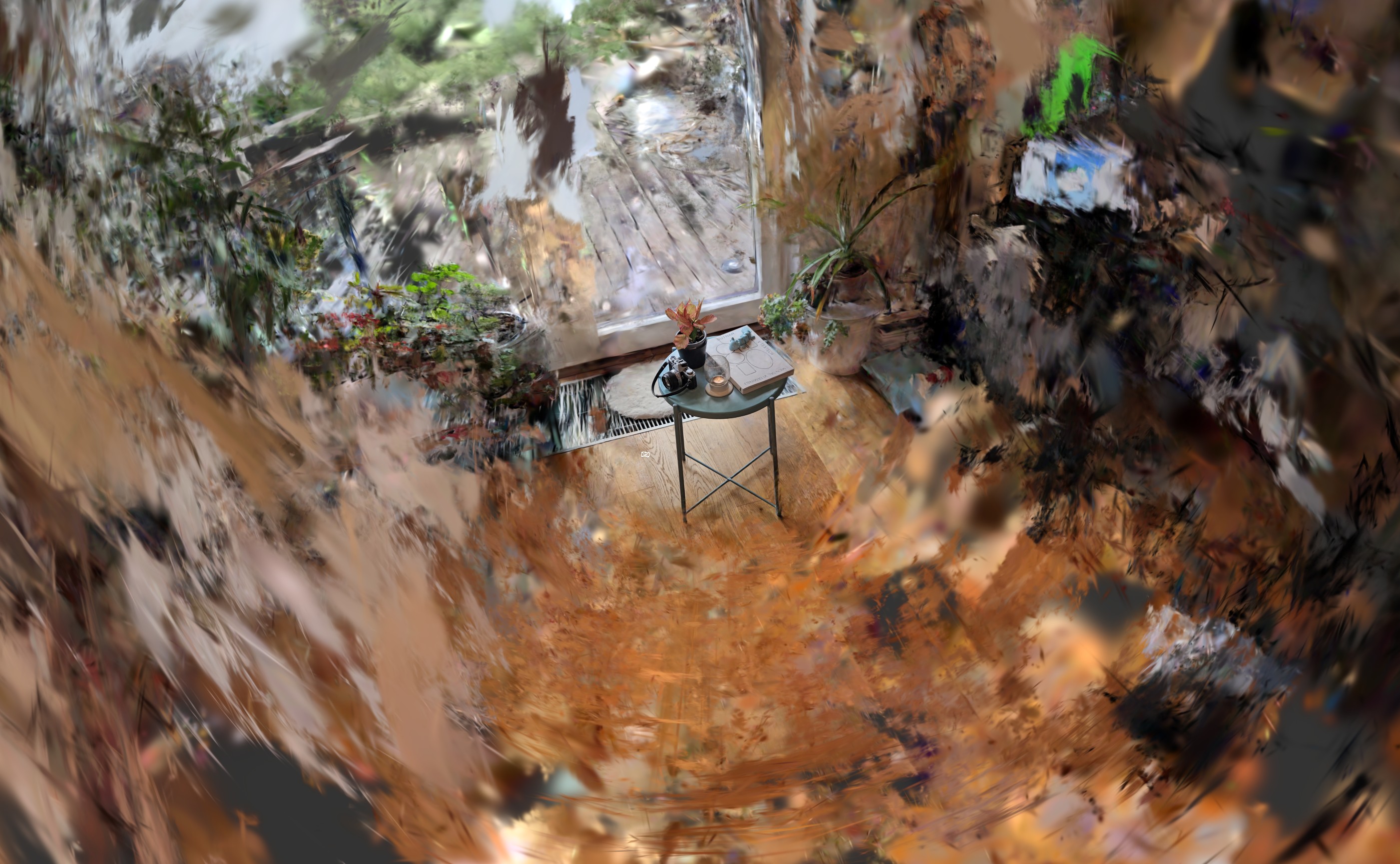
Figure 10: The Gaussian splats are camera position dependent, so the edges of the scan may seem chaotic when viewed from afar.
When Meshes win / when Gaussian Splats win
Choosing between meshes and Gaussian splats comes down to what you need from the data: engineering-grade geometry or fast, realistic visual context.
Meshes win when geometry is the product. If you need to edit the model in a traditional CAD workflow, run engineering simulations, or perform reliable geometric analyses (e.g., volume measurements), a mesh remains the right tool. Meshes provide explicit surfaces and topology, which is exactly what downstream engineering tools expect.
Gaussian splats win when the goal is viewing and understanding reality. For quick preview, navigation, and visual inspection, splats are hard to beat: they render efficiently, stream well, and preserve a scene’s “look and feel” with high fidelity. This makes them ideal for environmental context—seeing the condition of spaces, installations, and surroundings—especially in a web-based workflow where responsiveness matters.
The input data also matters. Gaussian Splatting typically requires a photo sequence or a video walk-through (easily captured with a phone camera). The output is primarily a graphical preview, not a representation you can directly use for BIM model creation or precise measurements (there may be exceptions, but those need validation per use case). 360° LiDAR scanning produces dense, precise point clouds, which are much better suited as a basis for modeling and accurate geometry. If the LiDAR capture isn’t paired with sufficient photos/video, splats can still be generated, but often with gaps in challenging effects like reflections, transparency, and fine visual detail.
Feature Comparison
Pros
Cons
Point Cloud
Raw measurements
Accurate to the real world (precision depends mostly on the used hardware and capture conditions)
Free of processing errors due to no processing
Hard to visually interpret
Huge file size (essentially a large list of points + attributes)
Difficult to process efficiently (no explicit connections between points)
3D Mesh
Compatible with most CAD/BIM tools
Accurate volume calculations & physics collisions
“Solid” surfaces enable precise picking/selection
Industry standard for engineering changes and redesigns
Slow to generate from 3D scans (point clouds)
Often loses visual detail (textures, small markings, rust, dirt)
Crisp results require high polygon counts, which are heavy for web browsers
Risk of “blobby” or oversmoothed geometry in complex areas
Gaussian Splat
Photorealistic visual fidelity
Extremely fast to generate
Easy to generate from a photos or video footage
Handles thin structures well (wires, railings, fences)
Near-instant “scan-to-view” workflow
Newer tech (less software support)
Not “solid” geometry (limited for measurements like volume)
Not suitable for physics simulations
Can result in large files if not optimized
Figure 11.1: original point size.Figure 11.2: scaled-up points (3x).
Figure 12.1: rendered mesh model created from the point cloud.Figure 12.2: rendered + visible mesh triangles.
Figure 13: Half-way to Gaussian Splatting. Without optimized opacity and shape parameters, the visualization must rely solely on point color data.
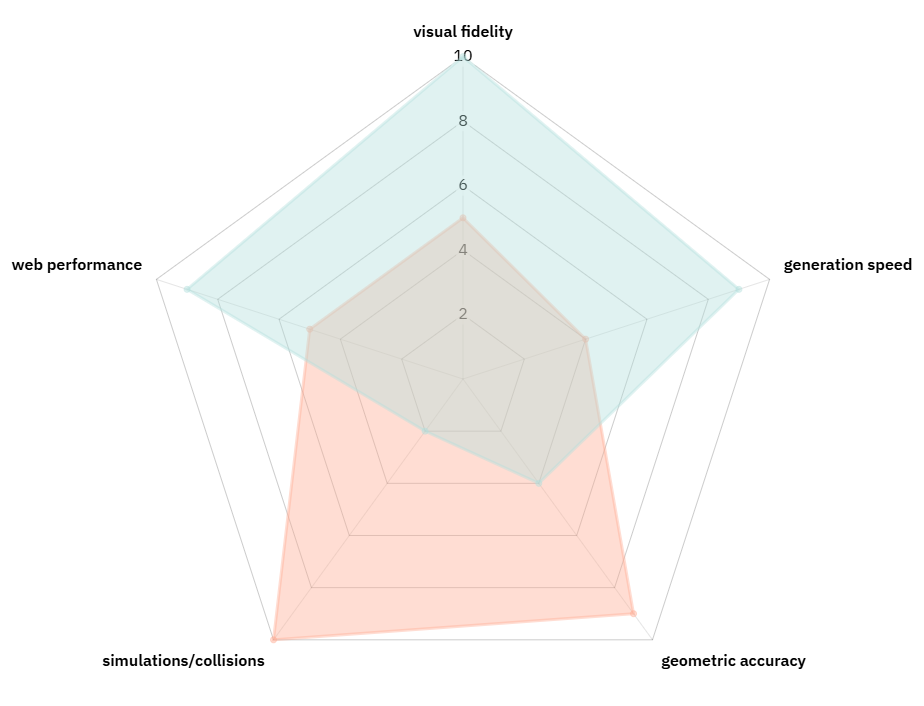
Figure 14: Graphical comparison of the pros and cons of 3D meshes (red) and Gaussian splats (blue). Copyright ioLabs.
Your benefits - Gaussian Splat in ioFM
Gaussian Splatting can significantly lower the barrier to creating a useful 3D preview. Instead of needing dedicated LiDAR scanners and heavy post-processing, a simple walk-through video from a smartphone (or a drone for larger sites) is often enough to generate a high-quality splat preview. That makes reality capture more accessible for facility teams and easier to repeat over time.
For the ioFM experience, the key impact is speed and visual context. Faster processing enables quicker upload-to-preview cycles and smoother web viewing. At the same time, splats provide a more realistic impression of the current condition of spaces—details that mesh models often miss. Because capture and processing are cheaper, periodic updates become feasible, helping the preview stay aligned with reality.
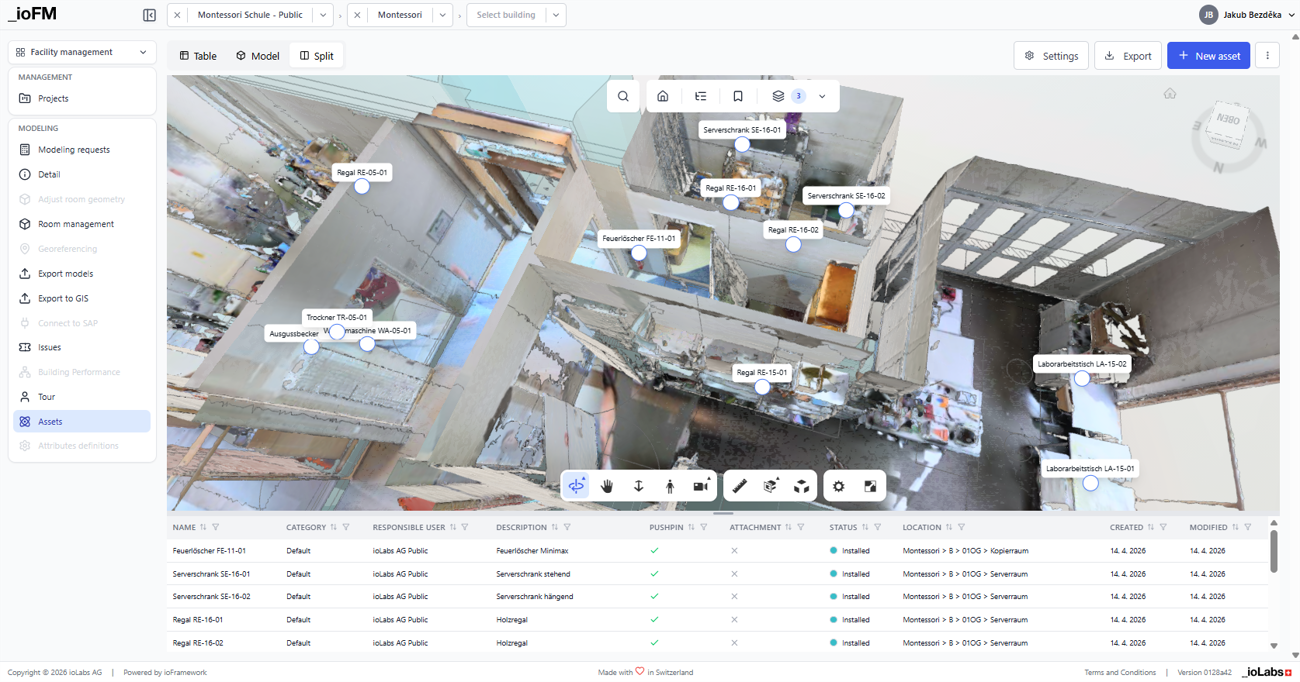
The strongest direction for ioFM is a hybrid approach. Our current mesh acts as a visual overlay on top of Minimal BIM, where precise geometry powers room structure, asset management, and computations. Gaussian splats add a high-fidelity visual layer for navigation and orientation—delivering the best of both worlds: realistic visuals with low data complexity, plus structured geometry for FM workflows.
Conclusion
Reality capture is moving toward simpler, faster, and more effective representations. Instead of forcing every scan through heavy meshing pipelines, we can choose formats that match the real purpose of the 3D view. For day-to-day facility work, the goal is often not perfect engineering geometry, but a high-quality, trustworthy visual preview that loads quickly and stays smooth in the browser.
That’s why Gaussian Splatting is such a promising direction: it delivers photorealistic context with excellent performance, enabling a true “capture-to-view” workflow without sacrificing UI responsiveness. In short, it’s about using the right tool for the job — and for previewing spaces and understanding real-world conditions, Gaussian splats can offer a clearly superior experience.